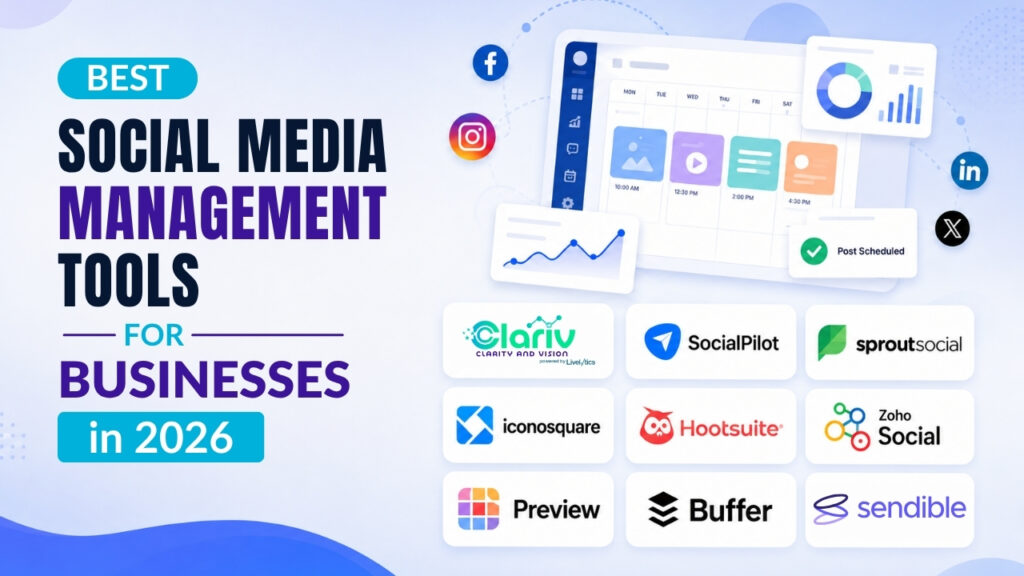
Managing social media for your business isn’t what it used to be.
Five years ago, you could get away with posting a few times a week on Facebook and calling it a day. Now? You’re expected to maintain a presence across six different platforms, respond to comments in real-time, track performance metrics, and somehow find time to actually run your business.
If you’re feeling overwhelmed, you’re not alone. The average business now manages 4-5 social media accounts simultaneously, and without the right infrastructure, it becomes a full-time job in itself.
Also Read: Social Media Management Tools for NonProfits
So, the Right Social Media Management Software Matters
Handling social media well means juggling content calendars, monitoring multiple feeds, analyzing engagement data, and maintaining a consistent brand voice across platforms.
That’s where choosing the right social media management tool becomes critical. The wrong platform wastes time and budget. The right one? It scales with your business and delivers measurable results.
How We Built This List?
We didn’t just compile this based on popularity. Our team tested these platforms hands-on and consulted with CTOs, marketing directors, and agency owners who manage social at scale. We evaluated functionality, usability, AI social media management tool capabilities, pricing, integrations, and real-world performance.
We’ve identified ten platforms that consistently deliver for businesses of all sizes. Whether you’re a startup or an enterprise, you’ll find a solution here that fits.
Let’s dive in.
Also Read: Brand Reputation Management Software
What is a Social Media Management Tool & How Does it Help Businesses?
A social media management tool is software that consolidates your social media activities into one platform. Instead of logging into Instagram, LinkedIn, Facebook, Twitter, and TikTok separately, you manage everything from a single dashboard.
At its core, a social media management tool lets you:
- Schedule and publish content across multiple platforms from one place
- Monitor comments, mentions, and messages in a unified inbox
- Analyze performance with consolidated reports and metrics
- Collaborate with your team without endless email chains
- Plan content weeks or months in advance
Also Read: Social Media Management Tips for Small Businesses
Why Businesses Actually Use Them?
The honest answer? Time and control.
With social media management software,
You can plan a month’s worth of content in a few hours, schedule it, and move on to other priorities. Your team knows what’s going live and when. Nothing falls through the cracks.
These tools show you analysis as well: It includes which content performs, when your audience is most active, and where you should focus your effort. You’re not guessing, you’re looking at actual data.
For larger teams, the collaboration features are what justify the cost. You get approval workflows, content libraries, and role-based permissions. Marketing can draft posts, leadership can review them, and everything stays organized without a mess of Slack messages and shared Google Docs.
Newer AI social media management tools add the AI component on top of the basics. They’ll suggest posting times based on your audience behavior, flag negative sentiment in comments, or generate caption variations. Some can even respond to common questions automatically.
Also Read: How to Respond Negative Customer Reviews
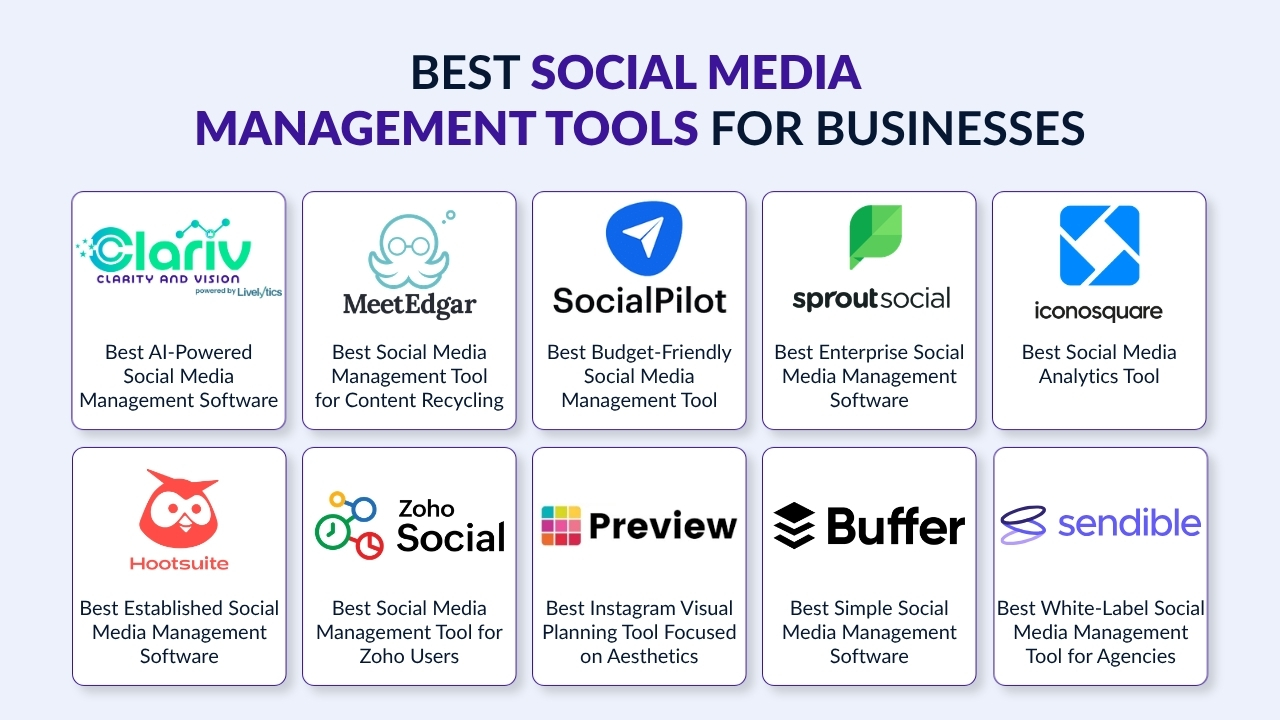
Best Social Media Management Tools for Businesses (Table-View)
| Tool | Best For | What It Does | Why It’s On This List | Price |
| Clariv | AI-Powered Multi-Platform Social Media Management | All-in-one platform for scheduling, analytics, AI content assistance, and team collaboration across 20+ platforms | Built with an AI-first approach, sentiment analysis, influencer management, and smart recommendations for optimal posting | Custom Pricing |
| MeetEdgar | Evergreen Content Automation | Automatically recycles and reposts evergreen content from categorized libraries to keep your social media active | Unique content recycling system that maximizes the lifespan of your best posts without manual re-scheduling | $24.91/month |
| SocialPilot | Budget-Friendly Agency Management | Bulk scheduling, white-label reports, and multi-client management at competitive pricing | Affordable pricing with agency-specific features like client management and bulk CSV uploads | $30/month |
| Sprout Social | Enterprise Analytics & Social Listening | Premium platform with advanced analytics, social listening, and unified inbox for large teams | Best-in-class reporting, sentiment analysis, and customer care features for data-driven enterprises | $199/user/month |
| Iconosquare | In-Depth Social Media Analytics | Analytics-first platform with deep insights, competitor tracking, and customizable dashboards | Superior analytics capabilities at a fraction of enterprise tool costs, perfect for data-focused marketers | $49/month |
| Hootsuite | Established Multi-Platform Management | Comprehensive scheduling, monitoring, and team collaboration with extensive integrations | Long-standing platform with broad platform support and social listening capabilities | $99/month |
| Zoho Social | Zoho Ecosystem Integration | Social media management integrated with Zoho CRM and other Zoho products | Seamless integration for existing Zoho users with affordable pricing for small teams | $15/month |
| Preview | Instagram Visual Planning | Mobile-first Instagram feed planner to preview and perfect your grid aesthetic before posting | Specialized Instagram planning with filters, Reels preview, and Stories organization | Free (Premium features available) |
| Buffer | Simple, Straightforward Scheduling | User-friendly per-channel pricing model with scheduling, analytics, and team collaboration | Transparent pricing, clean interface, and perfect for teams managing multiple brands | $6/channel/month |
| Sendible | Agency White-Label Solutions | All-in-one agency platform with client onboarding, white-label reports, and approval workflows | Built specifically for agencies with secure client connect and customizable branding options | $29/month |
Best Social Media Management Tools for Businesses (Detailed View)
1. Clariv – Best AI-Powered Social Media Management Software
We built Clariv as an all-in-one social media management software designed to simplify multi-platform management with AI-powered assistance. It’s for businesses that need intelligent automation without sacrificing control, bringing together scheduling, analytics, sentiment analysis, and team collaboration in one dashboard.
Also, Clariv doesn’t just schedule posts; it actively helps you create better content, understand your audience, and manage your entire social ecosystem efficiently. We’ve built features that matter to business leaders: time savings, actionable insights, and seamless team coordination.
Key Features:
- Multi-Platform Scheduling – Schedule and publish across 20+ platforms, including Instagram, Facebook, X, LinkedIn, TikTok, YouTube, Pinterest, Tumblr, and Reddit from a single dashboard.
- AI-Powered Content Assistance – Get instant help with tone adjustment, clarity improvements, and content repurposing across different platforms with one click.
- Smart Recommendations – Receive data-backed suggestions on best posting times, optimal formats, and content gaps in your calendar.
- Customer Sentiment Analysis – Track and analyze audience sentiment across platforms to understand how your content resonates.
- Influencer Management – Manage influencer partnerships, track deliverables, monitor content status, and measure results in one centralized workflow.
- Team Collaboration – Real-time collaboration with 1-click feedback, status tags, and approval workflows to keep campaigns moving.
- Performance Dashboard – Track metrics, reach, engagement, and top-performing posts across all platforms without switching apps.
- Visual Content Calendar – See your entire month in a clean grid view, making it easy to spot gaps and maintain consistency.
Pricing: Custom pricing based on your business needs
Free Trial: 14-day free trial available. No credit card or commitment needed. Cancel anytime.
Also Read: How AI Can Analyze Customer Feedback
2. MeetEdgar – Best Social Media Management Tool for Content Recycling
MeetEdgar takes a different approach to social media scheduling by focusing on evergreen content automation. It is built for businesses and entrepreneurs who want to maintain an active social presence without constantly creating new content.
The platform organizes your posts into categories (like “Blog Posts,” “Quotes,” or “Promotions”) and publishes from each category based on your schedule. Instead of posting once and moving on, MeetEdgar stores your best content in categorized libraries and automatically recycles it to reach new audiences.
Key Features:
- Category-Based Content Libraries – Organize unlimited posts into custom categories for strategic, balanced content distribution.
- Automatic Content Recycling – Never run out of content; MeetEdgar automatically reshares your evergreen posts when the queue empties.
- Unlimited Scheduling – Schedule as many posts as you want across all your social accounts.
- Variations Creator – Create multiple versions of the same post to test different messaging.
- RSS Feed Integration – Automatically pull content from your blog to populate your social queue.
- Browser Extension – Quickly save and schedule content while browsing.
- Inky AI Assistant – Get AI-powered help with caption writing and content ideas.
Pricing:
- Eddie Plan: $24.91/month (5 social accounts).
- Edgar Plan: $41.58/month (25 social accounts).
Free Trial: 7-day trial available.
Also Read: Sentiment Analysis Demo
3. SocialPilot – Best Budget-Friendly Social Media Management Tool
SocialPilot is a workhorse social media management tool built for efficiency. It delivers agency-level features that make sense for small businesses and growing teams who manage multiple clients and need professional features without premium costs.
The social media management platform wins on value for money. The bulk scheduling feature alone saves hours for teams managing high-volume content calendars, and the white-label reporting makes it viable for agencies billing clients for social media services.
Key Features:
- Bulk Scheduling – Upload up to 500 posts at once via CSV for efficient content calendar management.
- White-Label Reports – Create branded PDF reports for clients with your logo and colors.
- Client M/anagement – Organize multiple clients with separate workspaces and permissions.
- Social Inbox – Manage comments, mentions, and messages from multiple platforms in one unified inbox.
- Content Curation – Discover and share relevant third-party content to fill content gaps.
- Team Collaboration – Assign tasks, review drafts, and manage approval workflows.
- Analytics & Reporting – Track performance metrics across all platforms with customizable reports.
Pricing:
- Essentials: $30/month (7 accounts, 3 users)
- Standard: $50/month (15 accounts, 6 users)
- Premium: $100/month (25 accounts, 10 users)
- Ultimate: $200/month (50 accounts, 15 users)
Free Trial: 14-day trial available
Also Read: Customer Sentiment Platform Vs Traditional Surveys
4. Sprout Social – Best Enterprise Social Media Management Software
Sprout Social is the premium choice for mid-market and enterprise teams that need best-in-class analytics, social listening, and customer care capabilities. The platform consistently ranks #1 in social media analytics and offers deep insights that justify its higher price point.
It’s built for organizations where social media data informs major business decisions and customer experience matters as much as brand awareness.
Key Features:
- Unified Smart Inbox – Centralize messages, comments, mentions, and reviews from 10+ networks into one prioritized inbox.
- Advanced Analytics – Best-in-class reporting with custom dashboards, presentation-ready exports, and competitive benchmarking.
- Social Listening – Monitor brand mentions, track sentiment, and identify emerging trends (available as an add-on).
- AI Assist – Generate content, analyze sentiment, and automate responses with built-in AI capabilities.
- Approval Workflows – Set up multi-level content approvals to maintain brand consistency.
- Team Collaboration – Assign messages, set up collision detection, and manage workload across teams.
- CRM Integration – Connect with Salesforce, HubSpot, and other business tools for a complete customer context.
Pricing:
- Standard: $199/user/month (5 profiles)
- Professional: $299/user/month (unlimited profiles)
- Advanced: $399/user/month (API access, automation)
- Enterprise: Custom pricing
Free Trial: 30-day trial available
Also Read: How AI Sentiment Analysis Platform Turns Customer Feedback into Growth Opportunities
5. Iconosquare – Best Social Media Analytics Tool
Iconosquare started as an Instagram analytics tool and evolved into a comprehensive social media management software that puts data first without Sprout Social’s enterprise pricing.
While most social media tools offer analytics as a secondary feature, Iconosquare makes it the core product. You get over 100 metrics tracked across Instagram, Facebook, TikTok, LinkedIn, Pinterest, and YouTube, with customizable dashboards that show exactly what matters to your business.
Key Features:
- Advanced Analytics – Track follower growth, engagement rates, reach, impressions, and audience demographics with exceptional detail.
- Competitor Benchmarking – Compare your performance against competitors and industry standards.
- Automated Reporting – Generate branded PDF reports automatically and schedule delivery to clients or stakeholders.
- Customizable Dashboards – Build multiple dashboards with your most important metrics for quick insights.
- Content Scheduling – Plan and publish posts, Stories, and Reels across supported platforms.
- Hashtag Analytics – Track hashtag performance and discover which tags drive engagement.
- Team Collaboration – Manage multiple users, clients, and brands with role-based permissions.
Pricing:
- Single Brand: $49/month (1 brand, 5 profiles)
- Advanced: $79/month (2 brands, 10 profiles)
- Advanced+: $139/month (5 brands, 20 profiles)
- Enterprise: Custom pricing
Free Trial: 14-day trial available
Also Read: How to Manage Online Reviews for Your Business
6. Hootsuite – Best Established Social Media Management Software
Hootsuite is one of the oldest and most recognized names in social media management. It’s an all-in-one platform for scheduling, monitoring, analytics, and team collaboration, supports more platforms than most competitors, and offers social listening capabilities that many alternatives lack.
This social media management platform works well for established teams with existing workflows built around the platform. However, the interface feels dated compared to newer tools, and the pricing is steep for small teams.
Key Features:
- Broad Platform Support – Publish to Facebook, Instagram, LinkedIn, TikTok, Twitter (X), Pinterest, YouTube, and Google Business Profile.
- Social Listening (Hootsuite Insights) – Monitor brand mentions, track competitor activity, and identify trending topics in real-time (Business and Enterprise plans).
- Custom Reporting – Build detailed reports and export to PDF for client or stakeholder presentations.
- Team Workflows – Route messages to team members, set up approval processes, and manage permissions.
- Content Curation – Use Hootsuite’s content discovery tools to find shareable content.
- Streams – Monitor multiple feeds, keywords, and mentions simultaneously in customizable columns.
- OwlyWriter AI – Generate captions, repurpose content, and get posting suggestions powered by AI.
Pricing:
- Standard: $99/month (1 user, 10 accounts)
- Advanced: $249/month (3 users, 20 accounts)
- Enterprise: Custom pricing
Free Trial: 30-day trial available.
7. Zoho Social – Best Social Media Management Tool for Zoho Users
Zoho Social is the social media management software built into the Zoho ecosystem. If you’re already using Zoho CRM, Zoho Desk, or other Zoho products, Zoho Social integrates seamlessly and becomes an affordable extension of your existing workflow.
Zoho Social delivers solid scheduling, monitoring, and analytics features at accessible pricing for small businesses.
Key Features:
- Zoho CRM Integration – Convert social media interactions into leads and opportunities directly in your CRM.
- Smart Scheduling – Get recommendations on the best times to post based on audience activity.
- Social Listening – Monitor brand mentions, keywords, and industry conversations (Premium plan).
- Social Inbox – Manage messages and comments across platforms in one unified inbox (Professional and Premium plans).
- Custom Reports – Create branded reports with the metrics that matter to your business.
- Team Collaboration – Assign tasks, set up approval workflows, and manage team permissions.
- Multi-Brand Management – Organize different brands with separate calendars and workflows (Agency plans).
Pricing:
- Free: $0 (1 brand, 1 user, 6 channels – limited features)
- Standard: $15/month (1 brand, 10 channels)
- Professional: $40/month (1 brand, 10 channels, social inbox)
- Premium: $65/month (1 brand, 13 channels, social listening)
- Agency: $320/month (10 brands, 100 channels)
Free Trial: 15-day trial available
8. Preview – Best Instagram Visual Planning Tool Focused on Aesthetics
Preview is a mobile-first Instagram planner designed for Instagram-focused creators, lifestyle brands, fashion influencers, and anyone where visual consistency drives follower growth.
Preview solves one specific problem exceptionally well: visualizing how your Instagram content will look together before it goes live. You upload photos, videos, and carousels, drag them into different arrangements, and see exactly how your grid will appear on your profile.
Key Features:
- Visual Feed Planning – Drag and drop posts to preview your Instagram grid layout before publishing.
- Unlimited Grid Space – Plan as many posts as you need with no upload limits (free plan).
- Reels & Stories Planning – Preview Reels thumbnails and organize Stories alongside your regular feed.
- Filters & Editing – Apply over 100 filters to create a cohesive aesthetic across your content.
- Auto-Posting – Schedule posts to publish automatically without push notifications (paid plans).
- Analytics – Track performance, find best posting times, and analyze hashtag effectiveness.
- Hashtag & Caption Tools – Save frequently used hashtags and caption templates.
Pricing:
- Free: Basic planning and preview features.
- Premium: Starting at $5.99/month for auto-posting and advanced features.
Free Trial: N/A (Free plan available)
9. Buffer – Best Simple Social Media Management Software
Buffer built its reputation on being the easiest social media management tool that values simplicity and predictable pricing. The interface is clean, the pricing is transparent, and the learning curve is minimal. For teams that just need reliable scheduling and basic analytics, Buffer delivers without overwhelming you with features.
Buffer uses per-channel pricing, which means you pay for what you use. Managing three Instagram accounts and two LinkedIn profiles? You pay for five channels, not user seats. This model scales efficiently for agencies and multi-brand businesses.
Key Features:
- Unlimited Scheduling – Schedule unlimited posts per channel (no artificial queue limits).
- Visual Content Calendar – Drag-and-drop calendar view to plan and organize content.
- Multi-Platform Support – Schedule to Instagram, Facebook, LinkedIn, Twitter (X), TikTok, Pinterest, YouTube, Threads, and more.
- Analytics – Track engagement, reach, and performance with clean, easy-to-understand reports.
- Team Collaboration – Add unlimited team members (Team plan), set permissions, and manage approvals.
- Engagement Tools – Respond to comments and messages from a unified inbox (Team plan).
- AI Assistant – Get help writing captions and generating content ideas.
Pricing:
- Free: $0 (3 channels, 10 scheduled posts per channel).
- Essentials: $6/channel/month (unlimited posts, analytics).
- Team: $12/channel/month (unlimited users, engagement tools, approval workflows).
Free Trial: 14-day trial available
10. Sendible – Best White-Label Social Media Management Tool for Agencies
Sendible solves the agency-specific problems that general social media management software overlooks: How do you onboard clients securely? How do you deliver professional reports under your brand? How do you manage approvals without endless email chains? Sendible handles all of it.
Sendible is worth the investment for agencies managing multiple clients. For businesses just managing their own social accounts, Sendible is overkill, but for agencies, it’s purpose-built.
Key Features:
- Client Connect Widget – Let clients securely connect their social accounts without sharing passwords.
- White-Label Platform – Customize the dashboard with your brand colors, logo, and domain (Advanced and White Label plans).
- Approval Workflows – Require client or manager approval before posts go live.
- Priority Inbox – Manage comments, messages, and mentions from all platforms in one organized inbox.
- Automated Reporting – Generate and schedule branded PDF reports with Google Analytics integration.
- Bulk Scheduling – Upload content via CSV and schedule weeks of posts in minutes.
- Content Library – Store reusable hashtags, images, and templates for quick access.
- Team Roles & Permissions – Control who can publish, approve, or view analytics.
Pricing:
- Creator: $29/month (1 user, 6 profiles)
- Traction: $89/month (4 users, 24 profiles)
- Scale: $199/month (7 users, 49 profiles)
- Advanced: Custom pricing (white-label, SSO)
Free Trial: 14-day trial available
Final Thoughts
There’s no single best social media management software for every business. What matters is finding the tool that matches how you actually work.
- If you’re managing multiple clients, you need agency features.
- If you’re tracking ROI, analytics depth matters more than scheduling bells and whistles.
- If you’re just trying to stay consistent across platforms without losing your mind, simplicity wins.
Most of these platforms offer free trials. Use them. Schedule some content, check the analytics, and see if the interface makes sense. The right social media management tool should make your job easier, not add another layer of complexity.
Your social media presence is too valuable to handle manually and too important to let inconsistency kill your momentum. Pick a platform that fits your workflow, use it consistently, and adjust based on what the data tells you.
If you are ready to start somewhere and Clariv fits your workflow, then maybe start with a free Clariv trial. No commitments. No credit card required.